Self-initiated concept · 2025
What if quick-commerce apps had a shared cart?
Four people in one flat order groceries every week, and every week, someone's phone gets passed around while everyone shouts out what to add. This is a shared-cart concept for quick-commerce apps: order together in real time, split by who actually added what, and settle up without opening a separate app.
← Back to all work1 Cart · entry point
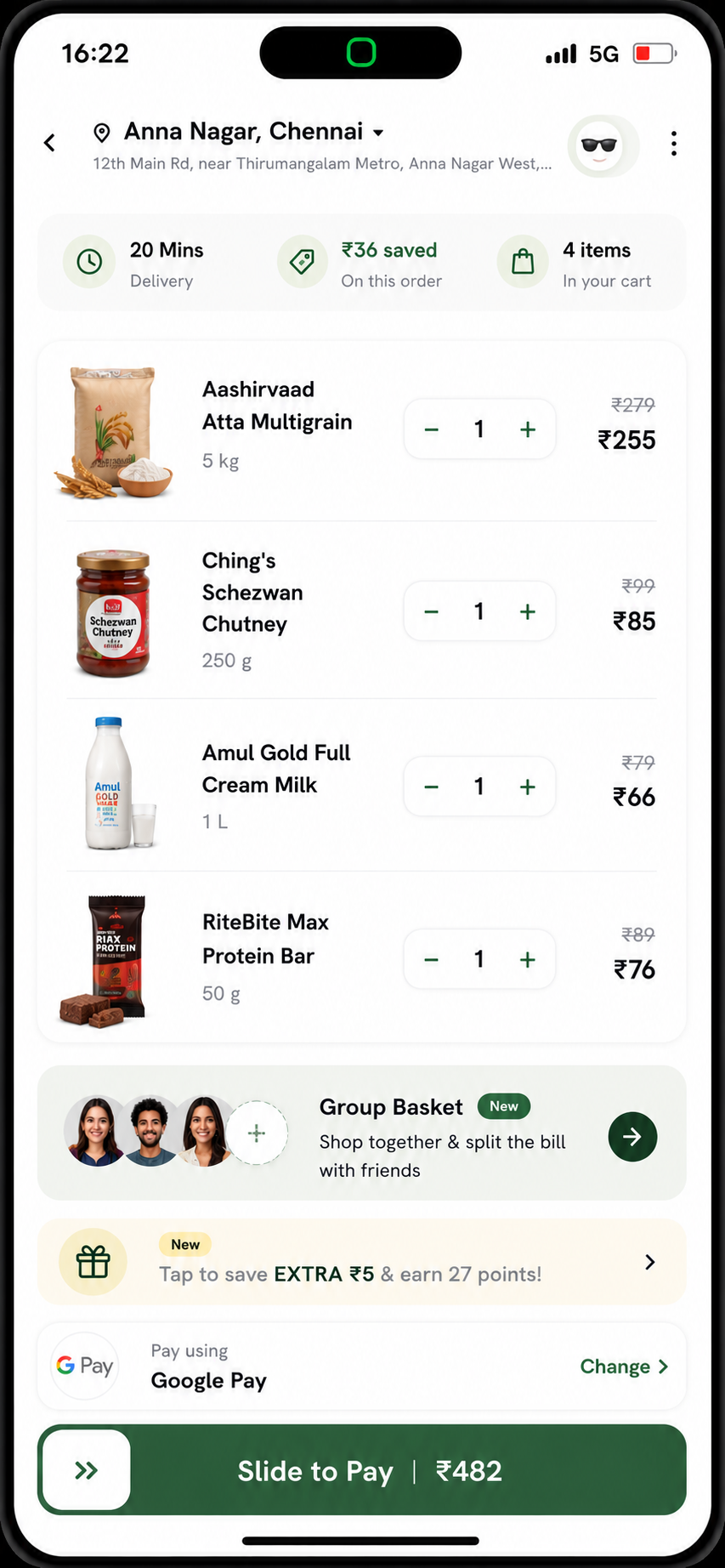
It starts inside the cart
The idea sits where people already are, inside the cart, not buried in a menu. You're ordering alone but shopping for the whole flat, so a Group Basket nudge appears at the exact moment it's useful: shop together and split the bill, without leaving what you were already doing.
2 Invite the flat
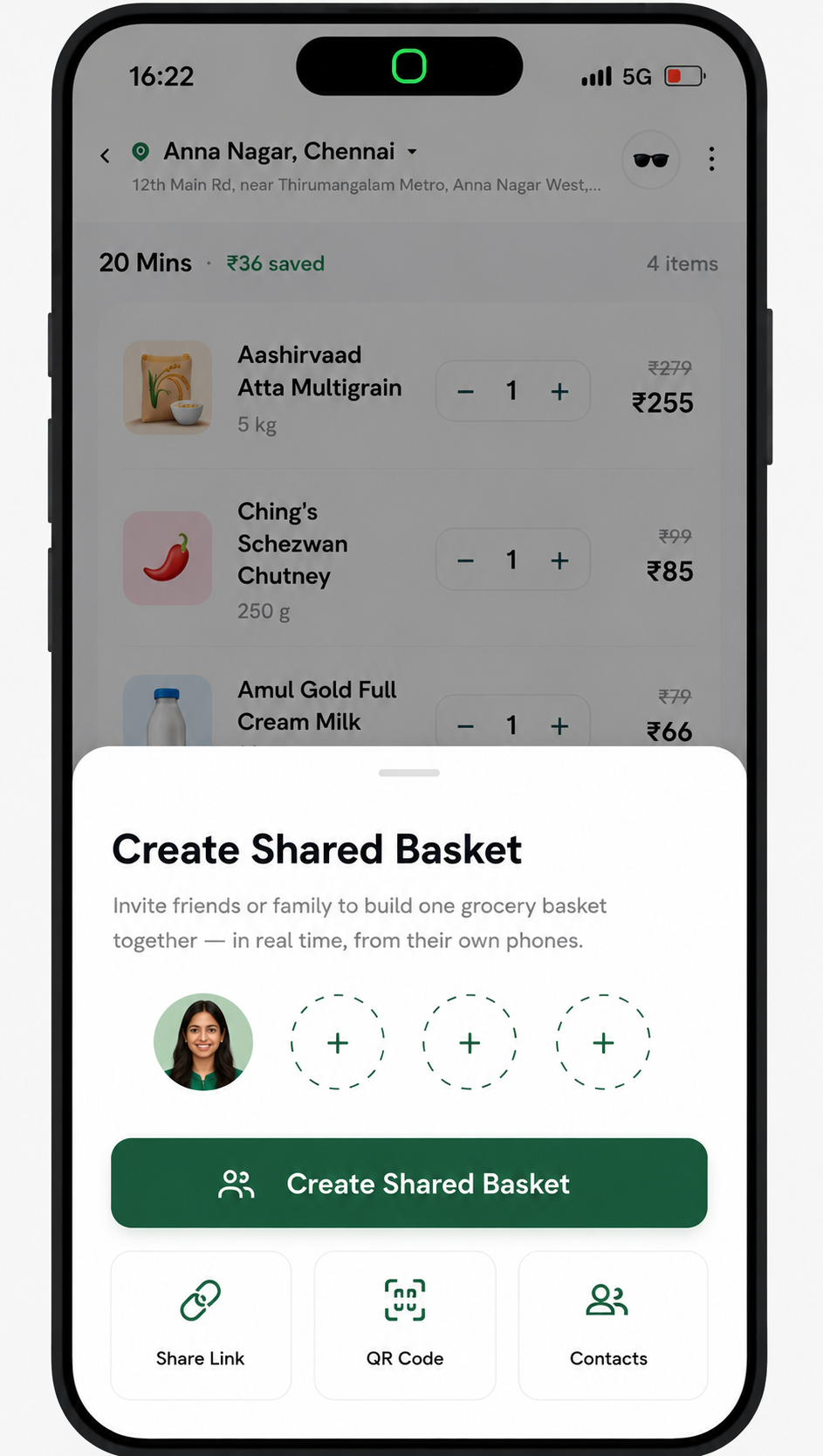
Invite the flat in one tap
A one-tap link or QR, not a group chat someone has to admin. A constraint I set myself: zero new accounts. It has to work for the flatmate who never opens the app, so anyone can join and start adding from their own phone in seconds.
3 Everyone adds, live
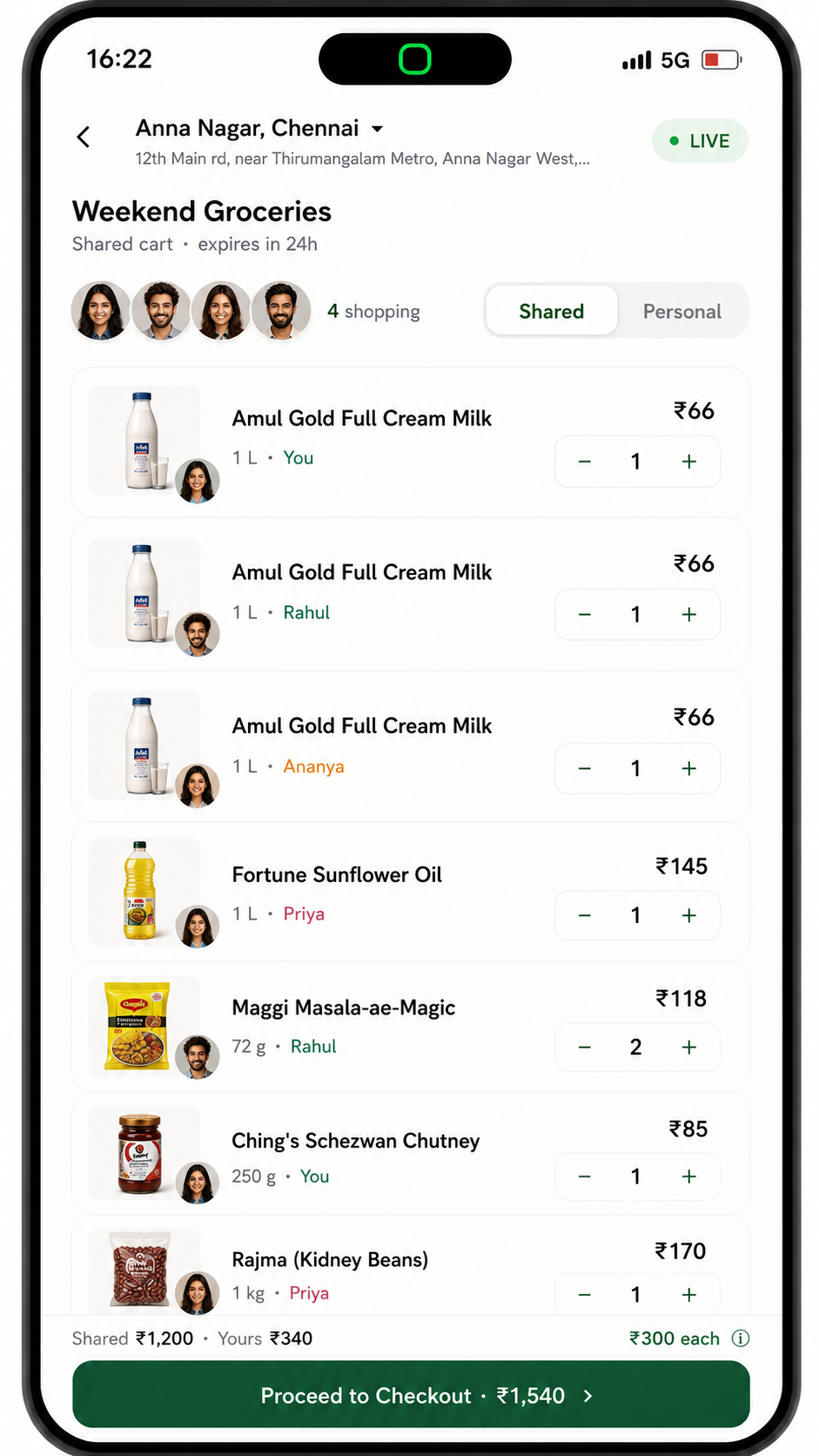
Everyone adds, in real time
This is the screen the whole concept hinges on. Four people adding at once means duplicates are guaranteed: three Amul milk packets, one per person. Every item is tagged with who added it, live, so the cart stays legible instead of turning into a mystery pile.
4 Shared vs personal
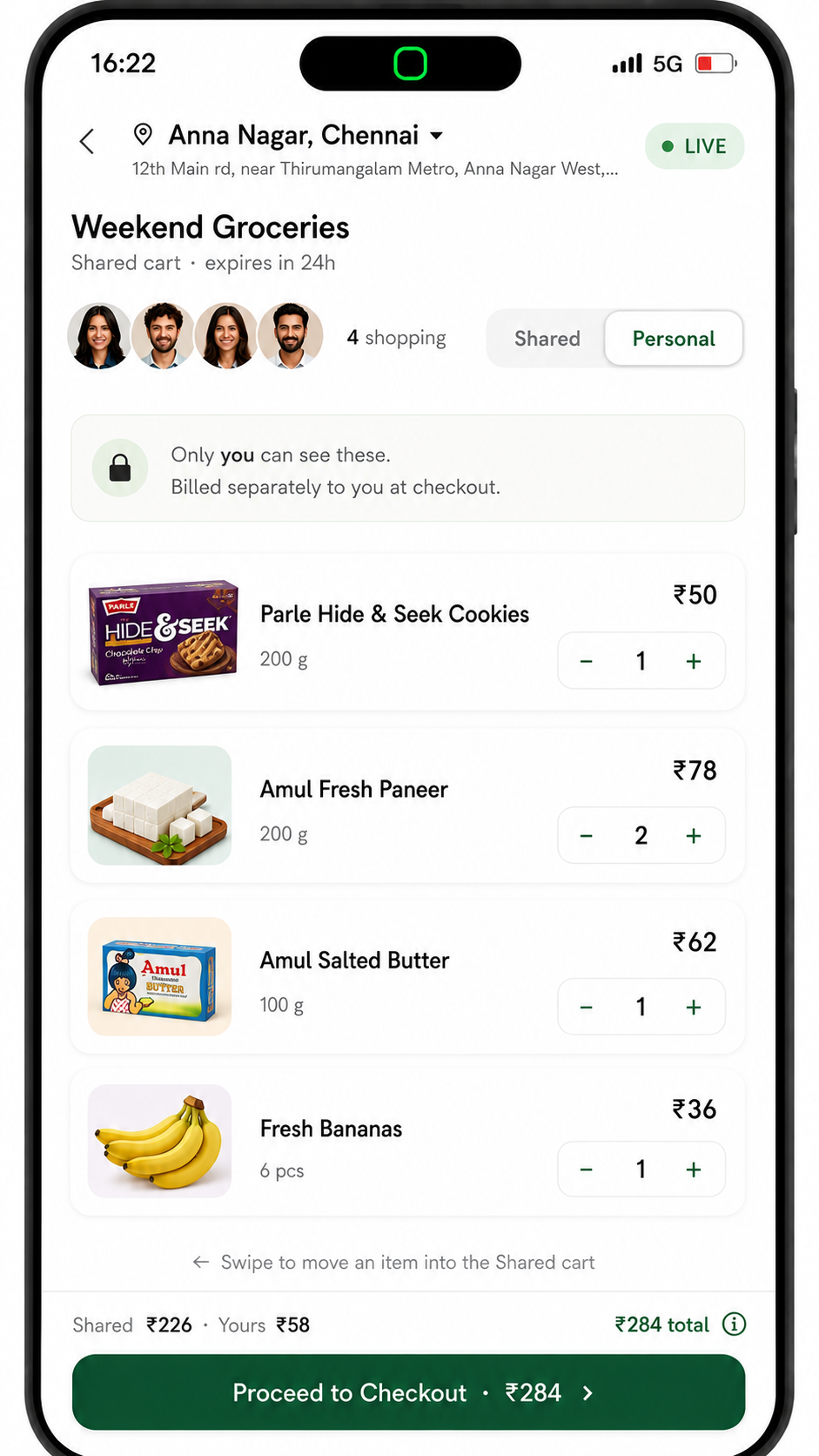
Shared and personal, in one cart
Not everything is for the house. A Personal tab keeps your own add-ons private, only you can see them, and they're billed just to you. Swipe an item between shared and personal, so one order can hold both the flat's groceries and your midnight snacks.
5 Split, not divide
Split, not just divide
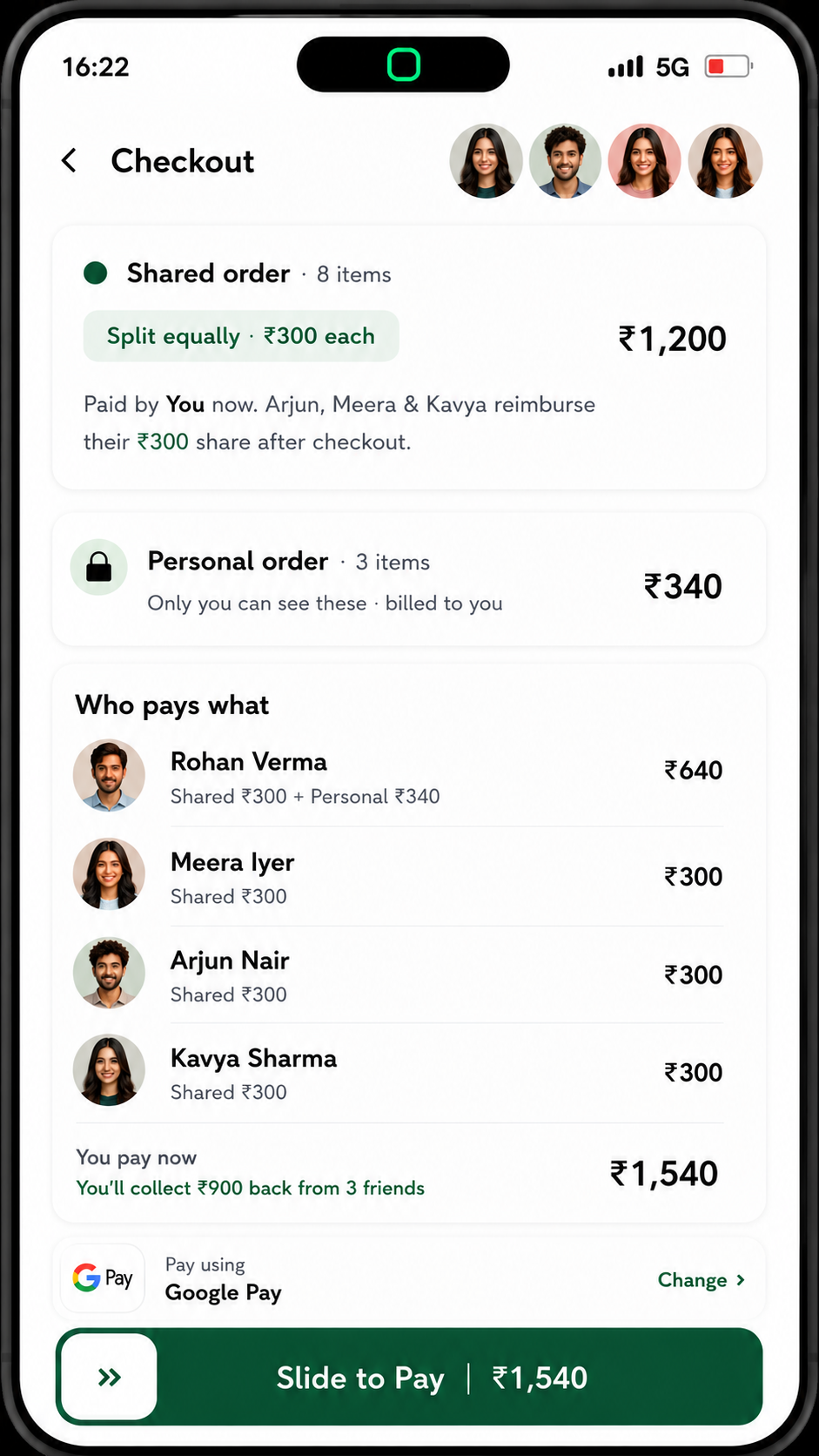
The math nobody wants to do by hand. Shared items split evenly; personal add-ons bill only to the person who added them. One person still fronts the order, that's deliberate, and everyone sees exactly who owes what before anyone pays.
6 Settle up
Settle up without the group-chat chase
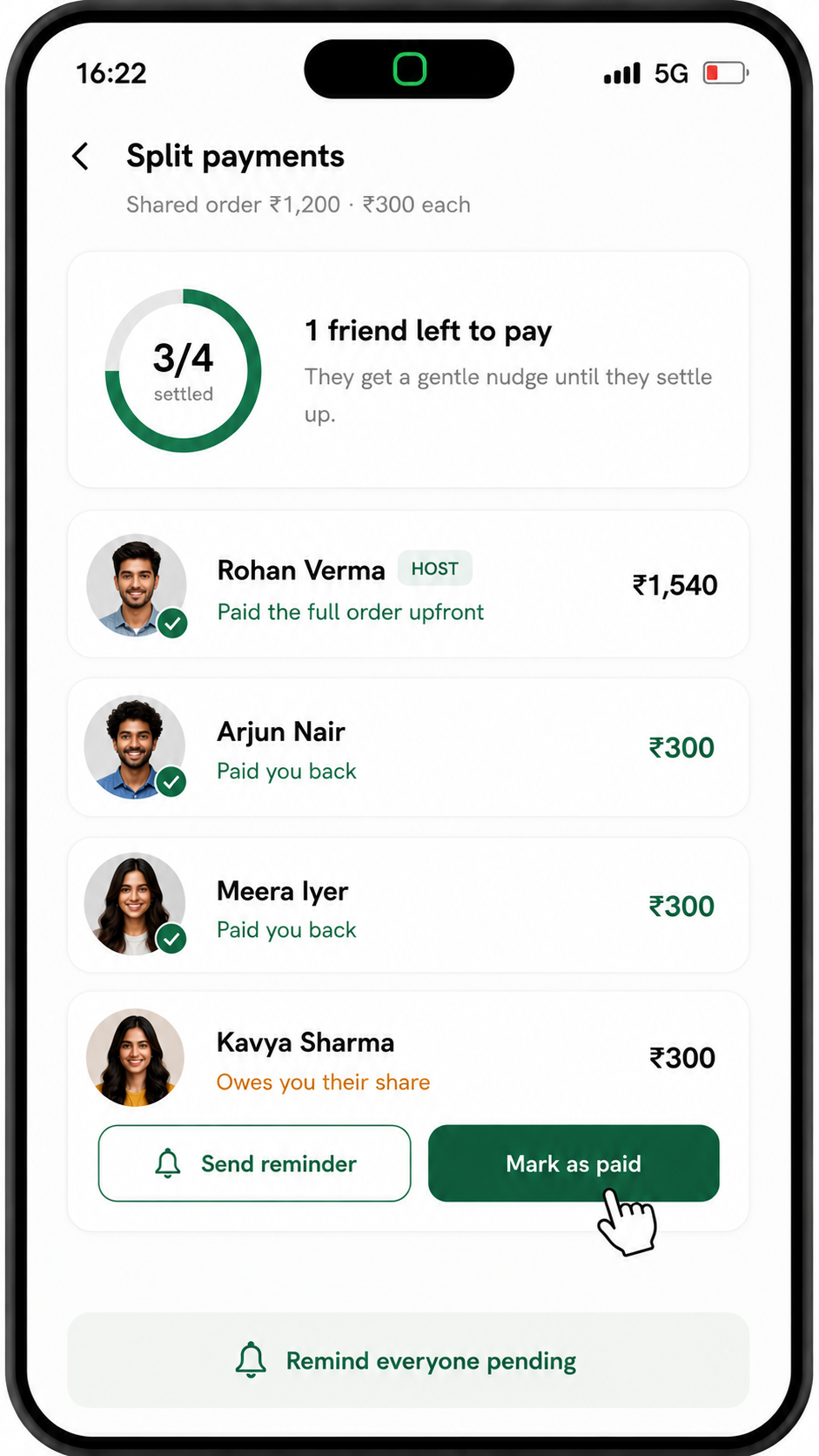
The part that replaces the "send me ₹300" texts three days later. One clean ledger shows who's paid and who hasn't, with gentle reminders built in, so the host isn't stuck chasing flatmates over WhatsApp.
7 Everyone's settled
The loop closes: inside one app
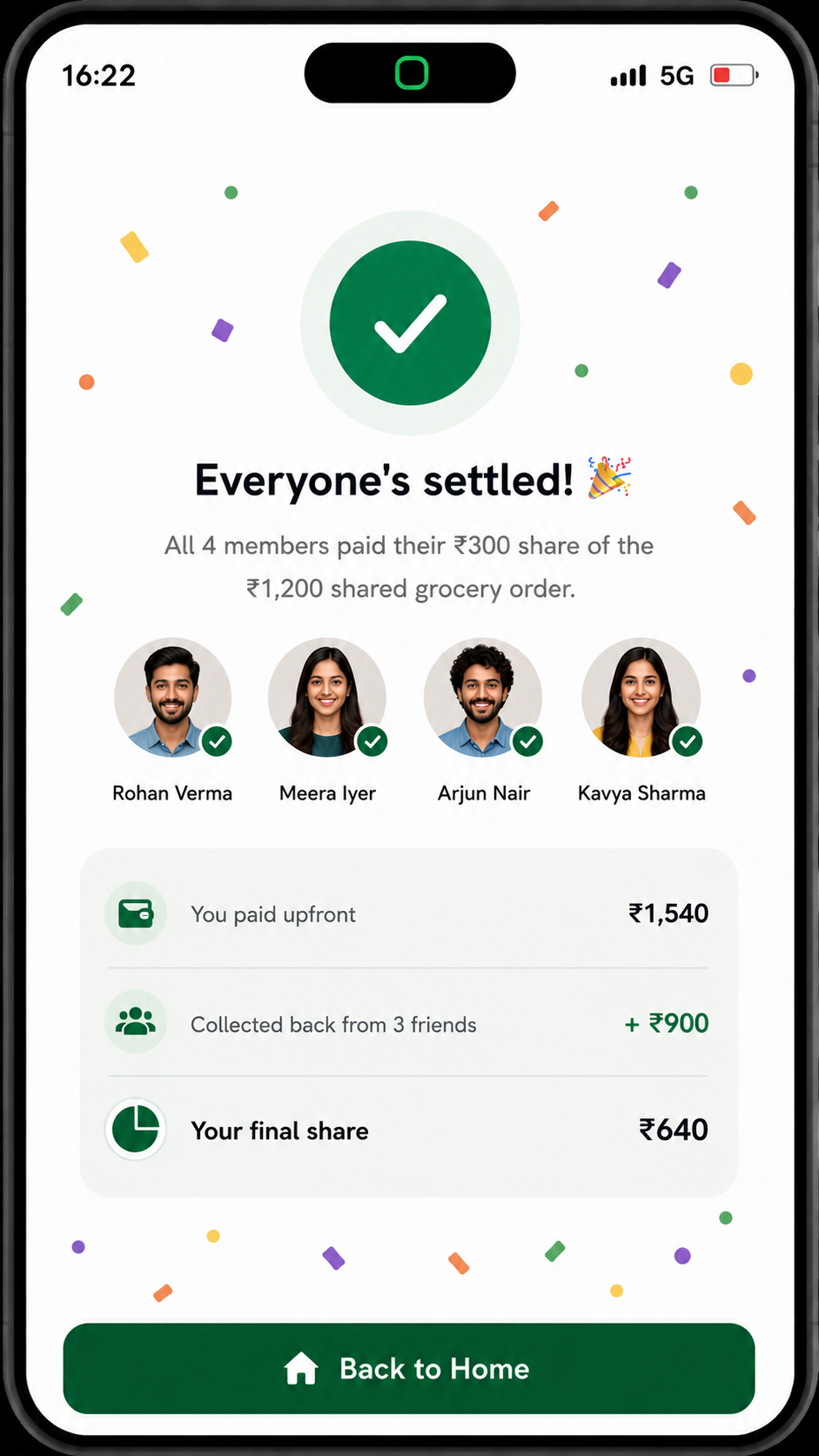
The satisfying end state: all four shares paid, the host made whole, and no separate bill-split app ever opened. The whole loop (order together, split fairly, settle up) stays inside the one app people already use for groceries.
Why this one
Quick-commerce apps have nailed speed for the individual, but ordering for a household is still a solo task bolted onto a group problem, one person's phone, everyone else's requests, and a bill-split app opened afterwards. This concept explores what it looks like to treat the group as the default, not the exception.
It's the kind of thing I like to spend my own time on: take an everyday friction, set a sharp constraint or two, and push a small, opinionated idea all the way through to a real, walkable flow.
More work
See the featured case studies →